HT Work Focus 22.8.1
To Work Without Distractions
- Track Time & Activities
- Block Distractions & Time-Wasters
- Help Users Be More Productive
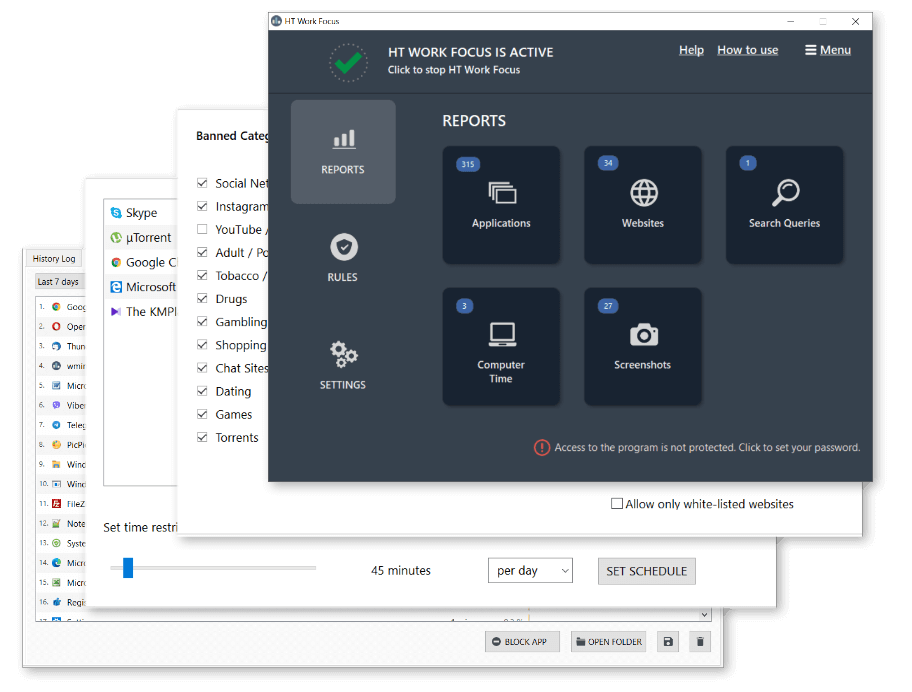
The All-in Solution for Time Tracking and Productivity Management
- Screenshots
- Email Reporting
- Remote Web Console
- Import/Export Settings
- Website Category Filter
- Block & Allow Lists
Equip Your Company With a Tool to Track Time and Manage Activities

HT Work Focus is an employee time tracking and management app. Track time, monitor activities, and manage your employees’ computers to work without distractions. Block or set time limits on non-work-related computer activities to make them more efficient and incredibly boost your team’s productivity!
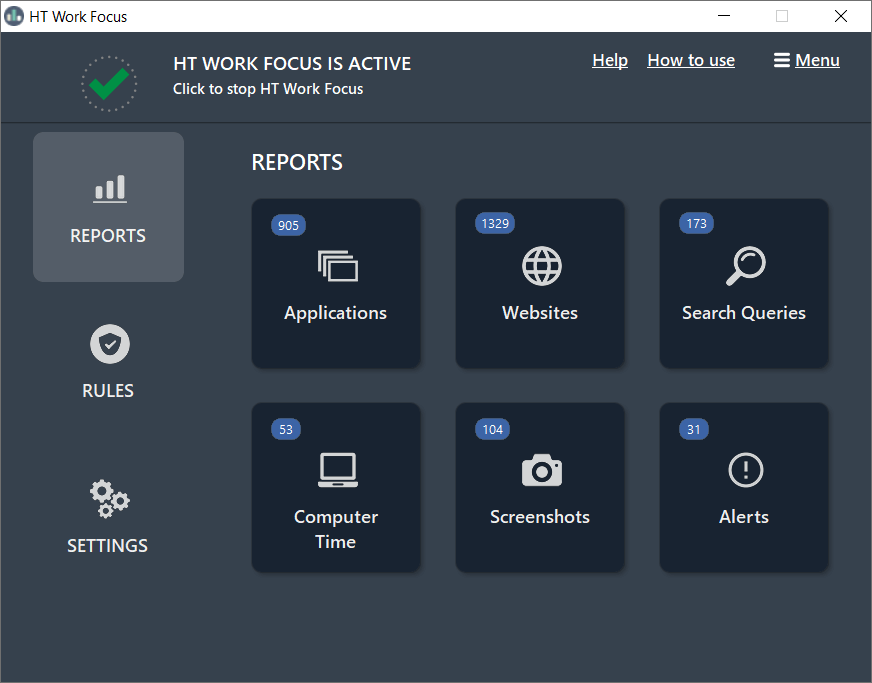
Screenshots
Dashboard
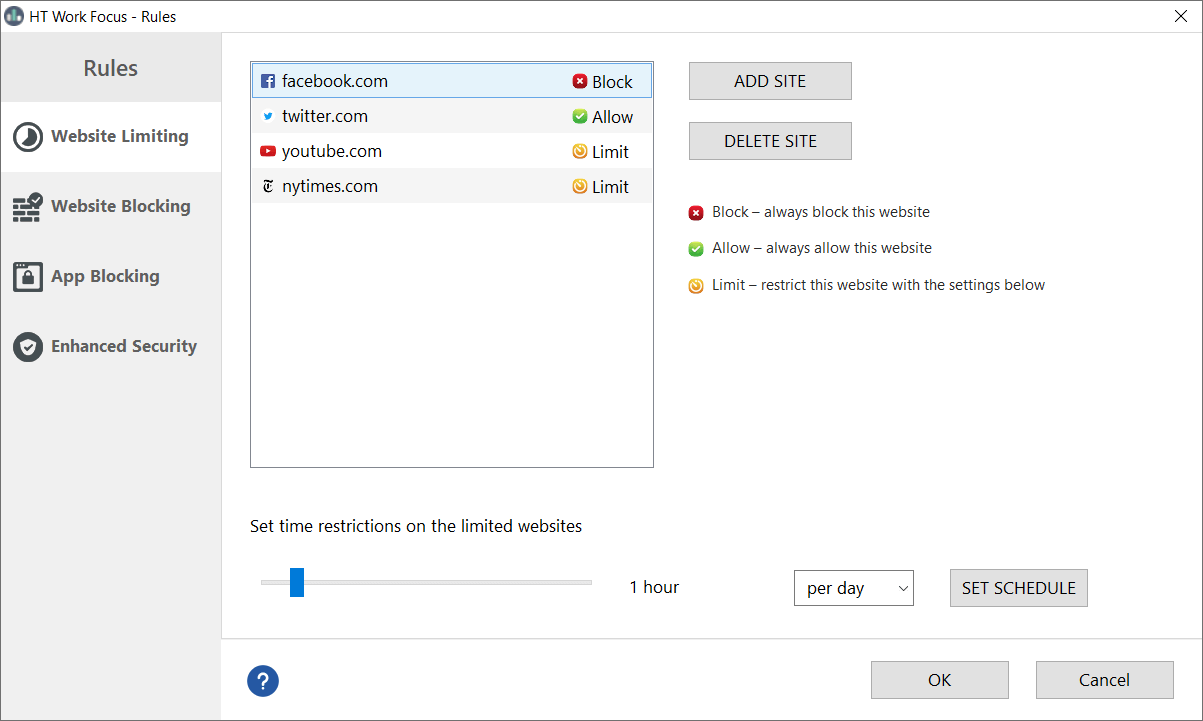
Rules — Website Limits
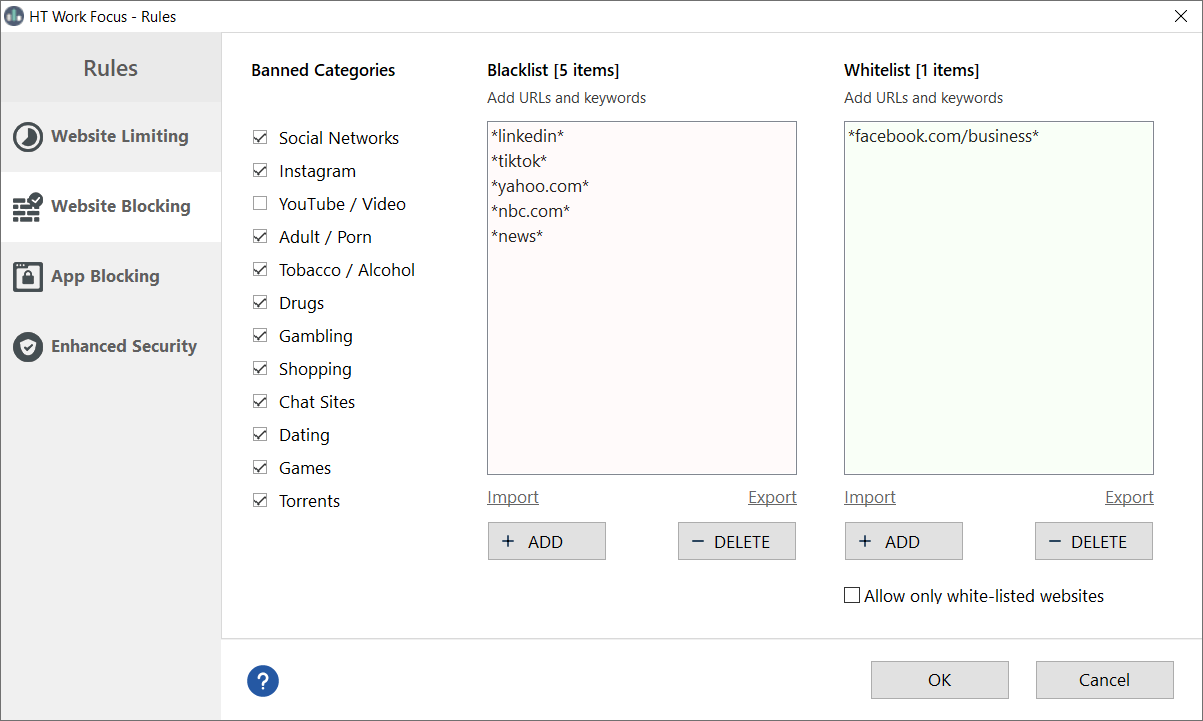
Rules — Website Blocking
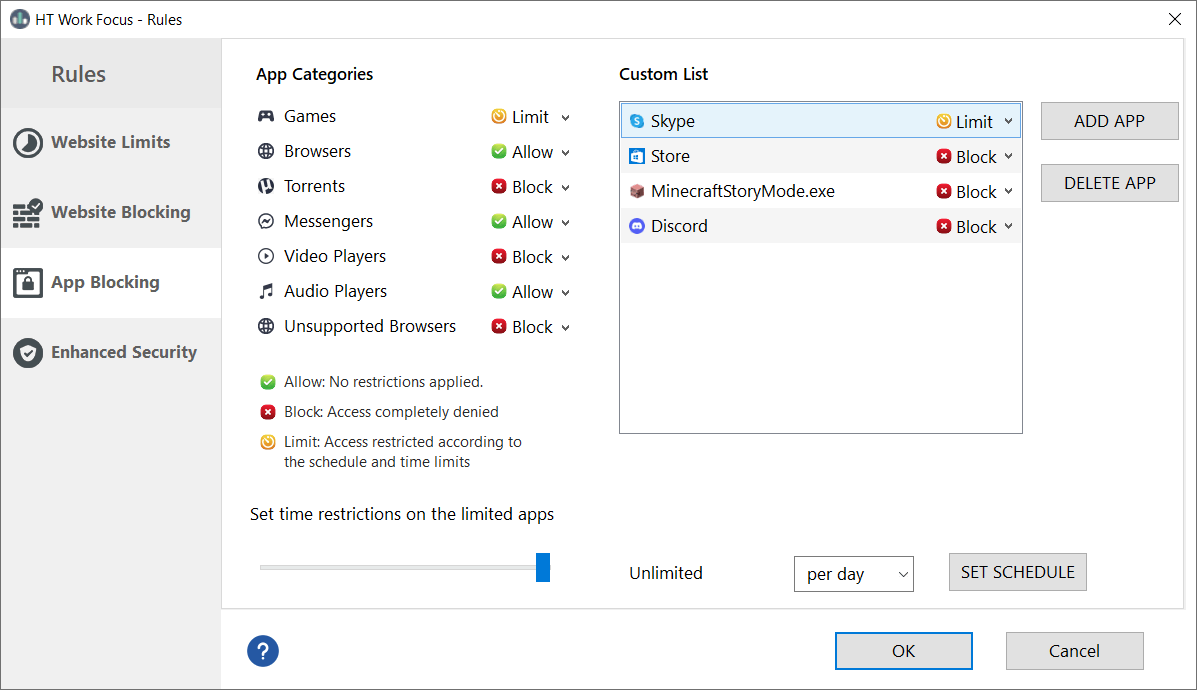
Rules — App Blocking
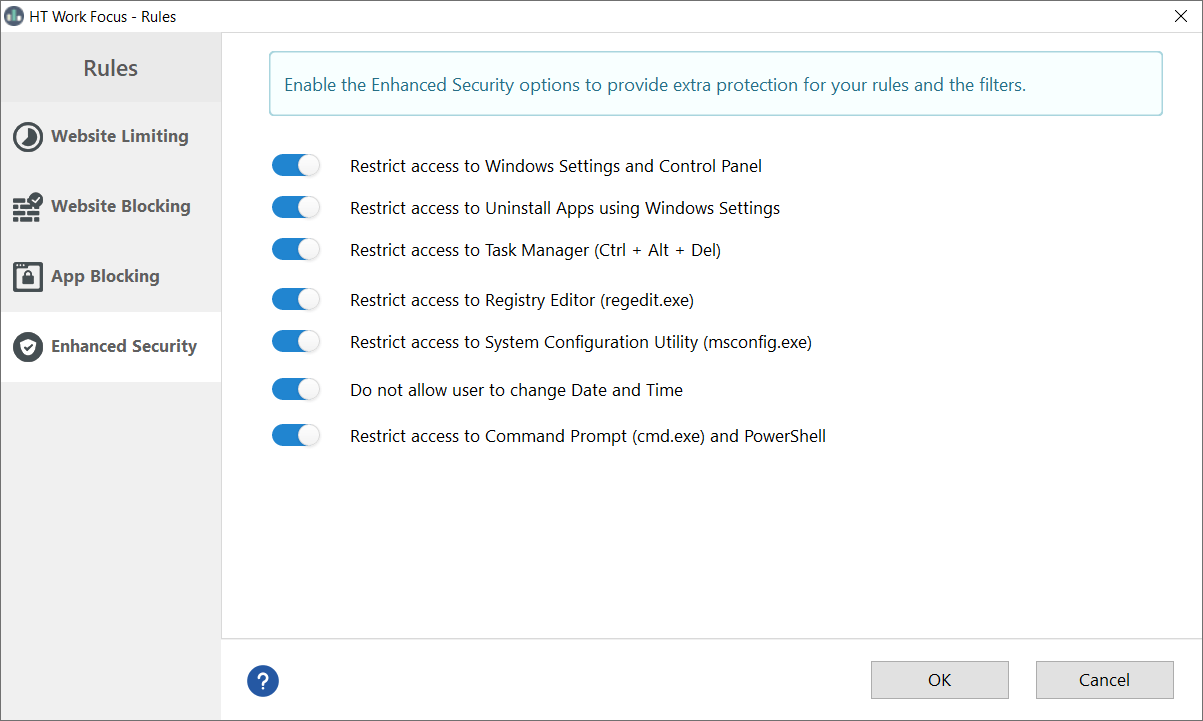
Rules — Enhanced Security
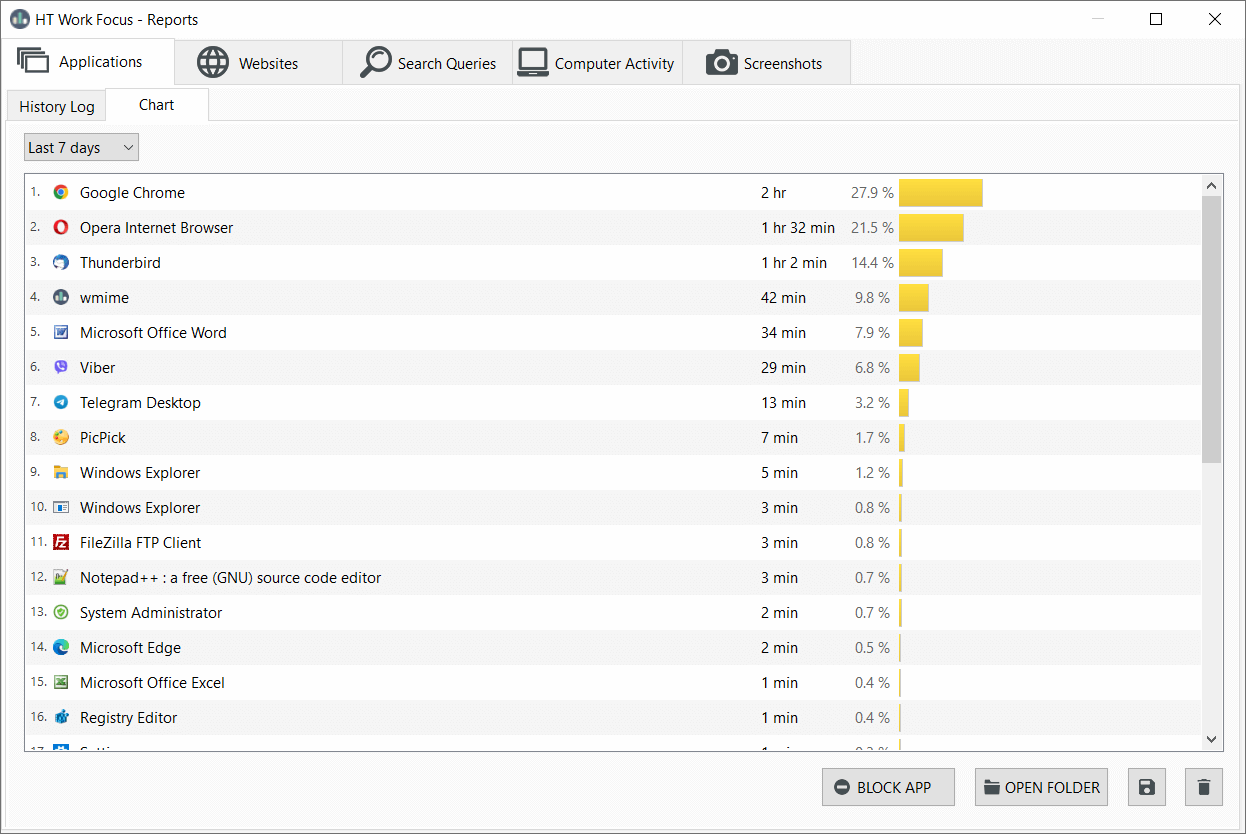
Reports — App Reports
Reports — Website Reports

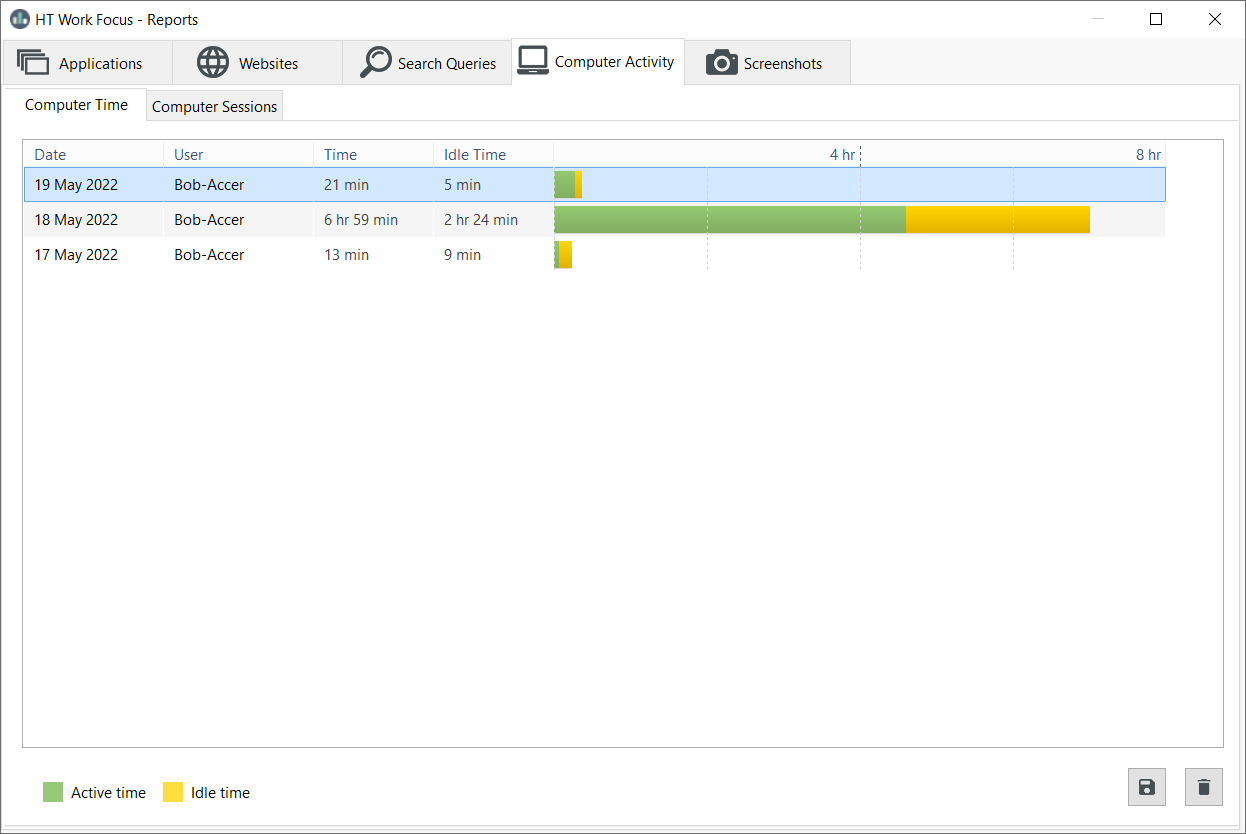
Reports — Time Tracking
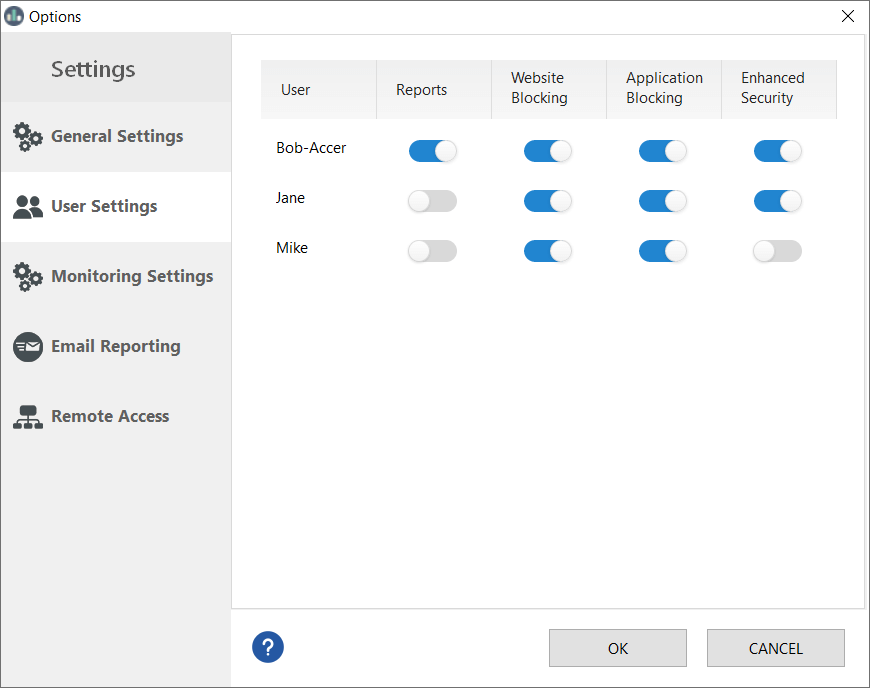
Settings — User Settings
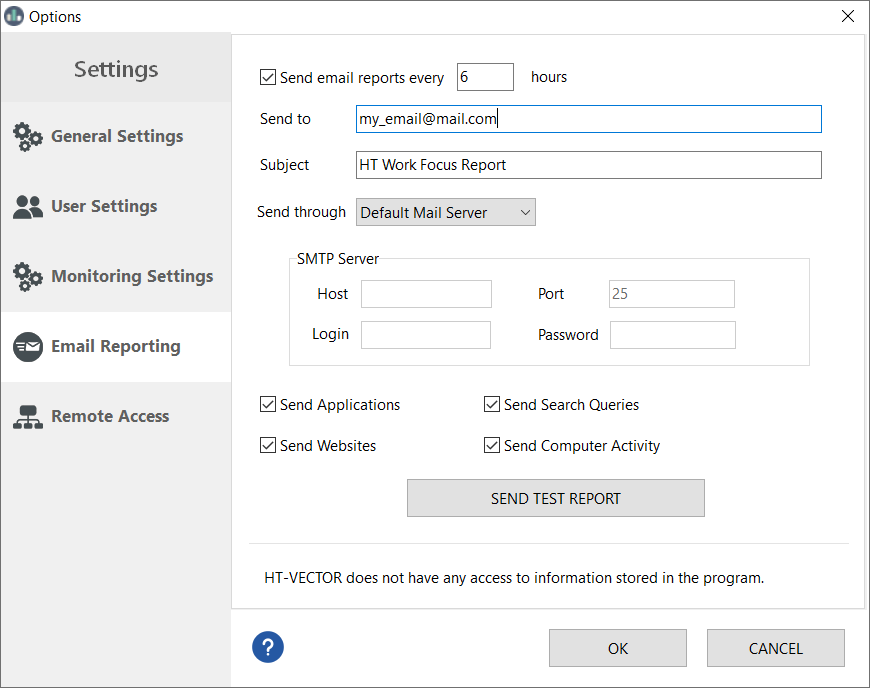
Settings — Email Reporting
Settings — Remote Access

Remote Controls — Remote Dashboard

Time Management Features
Website Blocking
HT Work Focus offers many options to block websites: the website category filter, blocklist, allowlist, and time limits. Block websites in up to 10 categories. Filter websites by keywords and URLs or allow only the sites from your approved list. Ideal for blocking distractions and bad habits at work. Learn how to block Facebook
Website Limits
Don’t want to block non-work-related websites completely? Website Limiting helps manage when and how much time your users can spend on certain websites. Set time limits or a schedule on social media sites, videos, news, or any other websites easily.
App Blocking
Games, messengers, chats, and players could be a problem in the workplace. With HT Work Focus, you can block any app. Together with the Website Blocking, it allows you to significantly reduce time wasted activities and procrastination time for your employees.
Remote Time Tracking and Management

Track time and set up the filters remotely. No more trips to other locations. In addition to email reporting, you can view your reports and manage your employees’ computer(s) remotely in REAL-TIME for the computers on the same network.
Access HT Work Focus’s remote dashboard via your browser. Just enter a monitored computer URL, or use our free HT Remote Manager to connect to multiple computers. Block websites and apps on your employees’ computers and view reports without leaving your desk. Your changes will take effect in a few seconds.
Reports
Computer Time
Our software tracks when the computer is active, turned on and off, idle time, how long it worked, etc. See time logs about the use of a particular device by particular users in a convenient graphical form.
Visited Websites
See what websites were visited and how much time was spent on each one, even if a user clears his browser history, and uses VPNs, or private browser mode. The software supports Google Chrome, Microsoft Edge, IE, Firefox, Opera, and Brave.
Apps
HT Work Focus gives a detailed report of each launched app with the time spent on it. As a result, you can find where your team members are wasting time and optimize their performance.
Idle Time
Our time tracking app reports idle time. See how much time your employee spends on and beyond his computer. Idle time is counted after five minutes of inactivity by default. This setting can be configured.
Screenshots
The screenshots give a visual report of your employees’ activities. HT Work Focus captures a computer screen with customizable intervals and image quality. This is the easiest way to find out if the computer was used for work or for entertainment.
Search Queries
A separate log shows all queries made by users in search engines, so you can evaluate what information users are looking for. The software supports popular search engines: Google, Yahoo, Ask, and Bing.

Our Benefits
Combine Time Tracking and Productivity Managing
Track time and block distractions. Both monitoring and managing features are in one app. HT Work Focus allows you to manage computer activities in just a few clicks without getting up from your chair. Cut down on distractions and make sure your employees are engaged in work-related rather than personal activities.
Boost Productivity and Profits
Use our employee monitoring software to help your team improve productivity and eliminate procrastination. Block all non-work-related activities in real-time, even from remote locations. Statistics confirm that blocking improves employee productivity by at least 30%. Your profit will increase together with productivity.
More Benefits
Multi-user
The program allows you to supervise every user account on your computers. Managing users with administrator rights also is available. You can create different restrictions for different users so that you can track and manage their activities in different ways.
Strongly Protected
To avoid program bypassing, we defended HT Work Focus thoroughly. Only the owner of HT Work Focus, who knows the special hotkeys and password, can access and uninstall the program. VPNs and private browser modes also cannot affect the program.
Email Reports
Together with the ability to track in real-time, the software provides email reports containing various activities. With HT Work Focus, receive emails with reports hourly and view logs from anywhere you can access your email.
How to Use
Install on Your Computer(s)
Install HT Work Focus on the computer(s) you want to manage.
Block and Limit Activities
Specify your rules for computer use. Remote management is available.
Get Reports
View reports by email or via HT Work Focus’s remote dashboard.
Work without distractions and incredibly your team’s productive with HT Work Focus!