How to Block Skype
For system administrators and parents looking to block Skype and other chats and apps quickly and reliably, HT System Administrator offers an efficient solution. This software easily blocks Skype, various messengers, games, and websites, providing a comprehensive and user-friendly approach.
Discover the Features of HT System Administrator
How to Block Skype Using HT System Administrator
- Download and install HT System Administrator on your computer.
- Launch the application and go to 'Rules' → 'App Blocking.'
- Click on 'Add → Add an installed app' and select Skype from the list.
- Choose to either 'Block' or 'Limit' Skype.
- For broader control, you can also 'Block' or 'Limit' the entire 'Messengers' category to restrict access to all popular messaging apps.
- Set specific time rules for these restricted apps/categories as required.
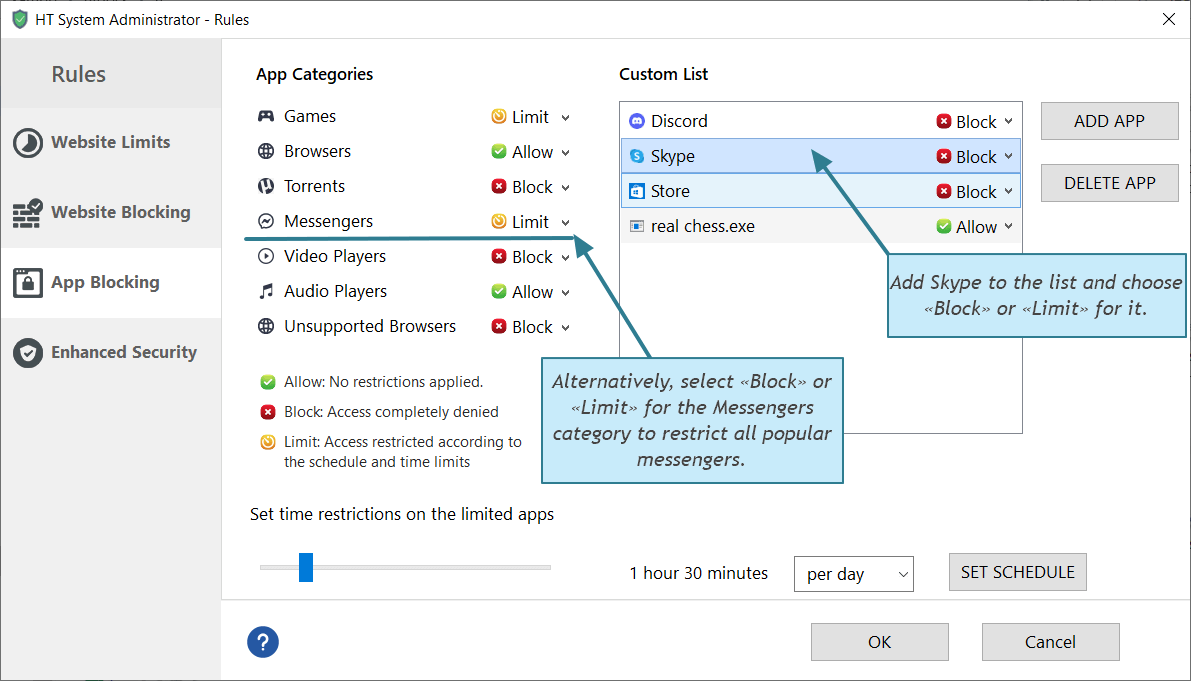
HT System Administrator effectively prevents Skype and other specified messengers and apps from running on your computer. This application blocks their execution across computers and workstations. Simply specify that Skype should be blocked in the settings. Additionally, you can customize access by banning it for certain users while allowing it for others under 'Settings → User Settings'.
Block Skype Easily with HT System Administrator
HT System Administrator is your go-to solution for effectively blocking Skype. It's designed to restrict user activities across various applications, offering a wide range of blocking features:
- Block Skype and other applications.
Block chats, messengers, browsers, games, and more. - Block social networks on popular browsers like Edge, Firefox, Internet Explorer, Google Chrome, Brave, etc.
- Block specific websites by URL or by keywords.
- Block specific websites by URL or keywords
Adult Content, Games, Violence, Chats, etc. - Block Windows options like Task Manager, Control Panel, etc.
- Monitor important user activities including visited websites, launched applications, computer time.
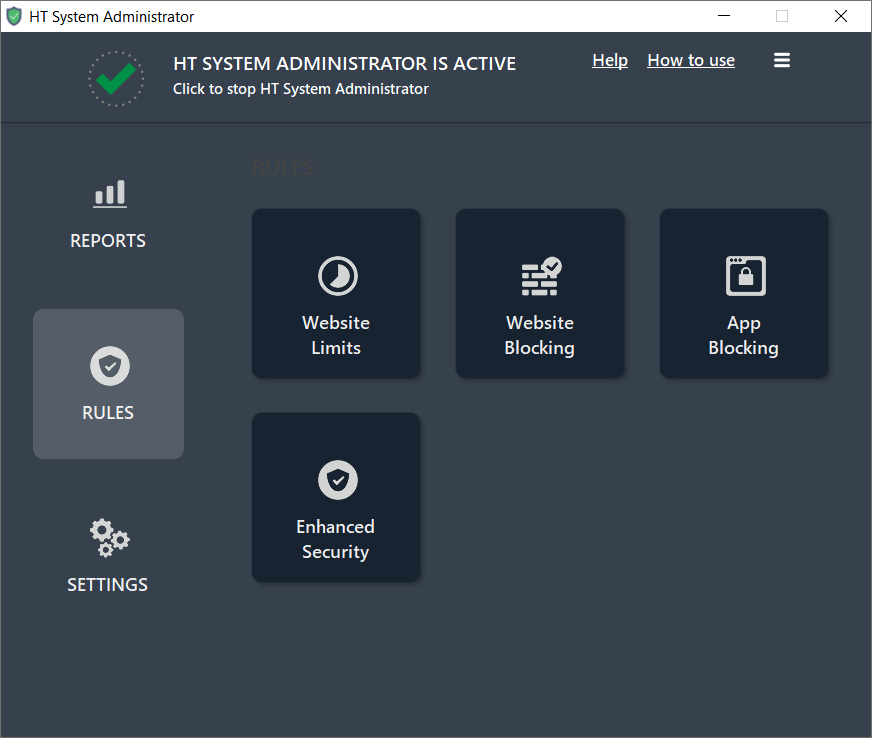
The app is compatible with all Windows versions, including Windows 11, 10, 8, and 7. It also supports all popular browsers, ensuring versatile application. With HT System Administrator, blocking Skype and other unwanted computer activities is just a few clicks away, providing a seamless and user-friendly experience.
Testimonials
I needed to ban Skype on our corporate network, but it proved to be a challenging task due to Skype's complex algorithm. HT System Administrator was a game-changer for me. I now use it for various tasks, and it handles them all with ease.
Larry
In the realm of professional communication apps, simple solutions like blocking ports often fail. I’ve been using HT System Administrator since March 2012. Its robust tools effectively prevent users from circumventing restrictions
Paul
As someone who isn’t a system administrator, I didn’t want to spend hours learning how to block applications. HT System Administrator made it simple. I was able to restrict everything I needed in just a few seconds, regardless of the operating system or browser.
Geraldo