Internet Safety
Implementing internet safety measures is crucial to protect children from online threats. Educate them about privacy settings, safe browsing habits, and the importance of not sharing personal information. Use parental control software to have peace of mind knowing that they have an additional layer of protection for their children’s online experiences. These tools enable them to establish safe browsing environments, filter content, and track their child’s activities to promote internet safety.
Utilize Parental Control Software
Consider using parental control software to have more control over your children’s access to sites and app, and monitor their online activities. However, it’s crucial to stay actively involved in your children’s online lives and educate them about potential risks.
Monitor Your Child’s Computer Activity
Keep an eye on your child’s computer usage, including chat rooms, instant messages, emails, and visited websites. Pay attention to who they are communicating with and the nature of their conversations. If there are unfamiliar individuals or any personal information being shared, take appropriate action.
Block Inappropriate Content
Use parental controls software to restrict access to inappropriate websites, such as adult content, violent content, or online shopping sites. By filtering the websites they can visit, you can create a safer online environment for your child.
Manage Screen Time
Managing screen time is crucial for children’s well-being and development. By actively monitoring and controlling the amount of time spent on screens, parents can encourage a healthier and more balanced approach to technology usage, allowing for other important activities and fostering overall well-rounded growth.
Set time restrictions on games and social media
Set healthy time restrictions on games and social media to ensure a balanced and responsible online experience for kids. By setting limits, parents can help their kids develop good digital habits and prioritize offline activities.
Talk to Your Children about Internet Safety
Have open and honest conversations with your children about the potential risks they may encounter online. While you don’t want to scare them, it’s important for them to understand that there are people who could harm or take advantage of them on the internet.
Introducing HT Parental Controls, our powerful applications designed to create a safe internet environment for your child.
Guarding Innocence: Effective Measures for Content Filtering and Protection
HT Parental Controls offers robust features to filter and block inappropriate content, ensuring internet safety for your child. With the ability to block websites from predefined categories, restrict access to specific sites using URLs or keywords, and create a whitelist of approved websites, you have complete control over your child’s online experience.
- Download HT Parental Controls and install it on your kid’s computer or laptop.
- Open the application and navigate to Rules → Website Limits.
- Select the «Block» option for the categories of websites that you believe are inappropriate for your child.
- You can also add specific sites and keywords to the list.
- Set up time restrictions for the limited categories, sites, and keywords.

Guardian of Online Safety: Monitoring Your Child’s Computer Activities
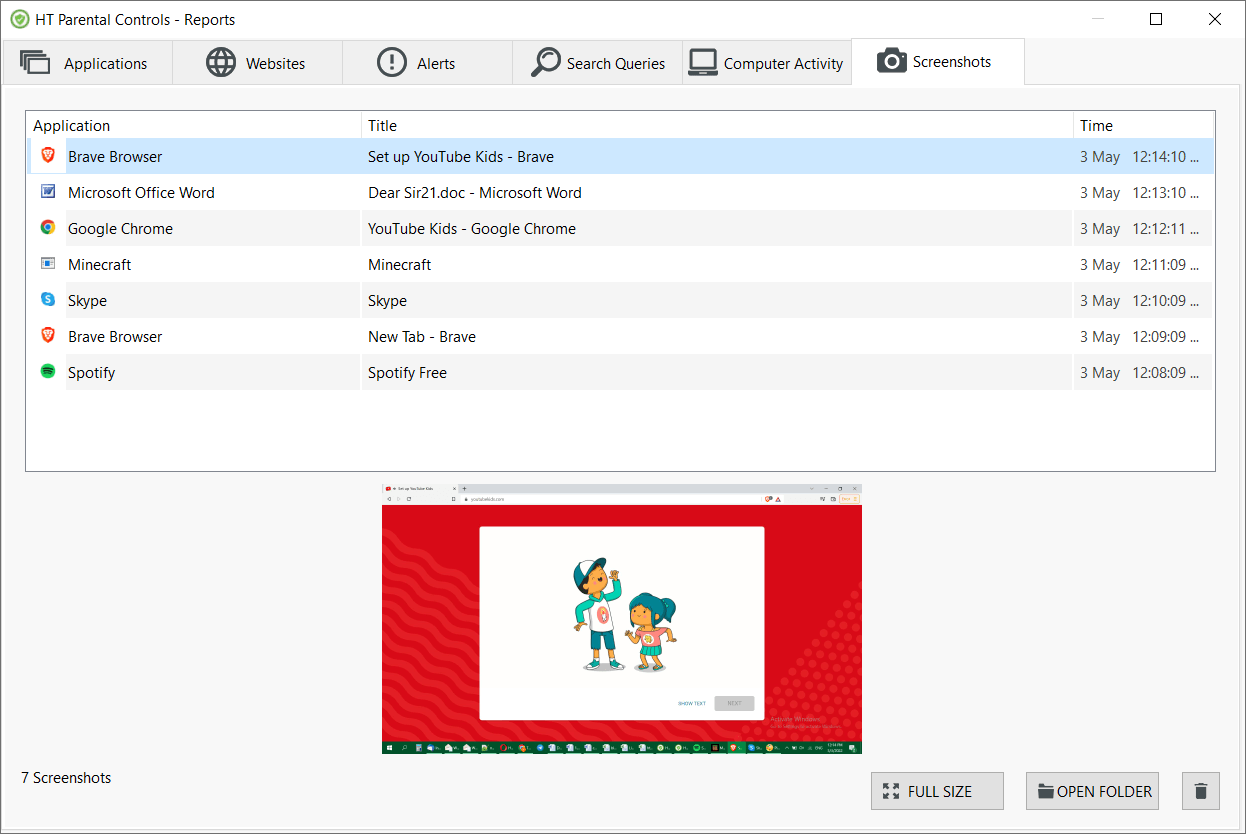
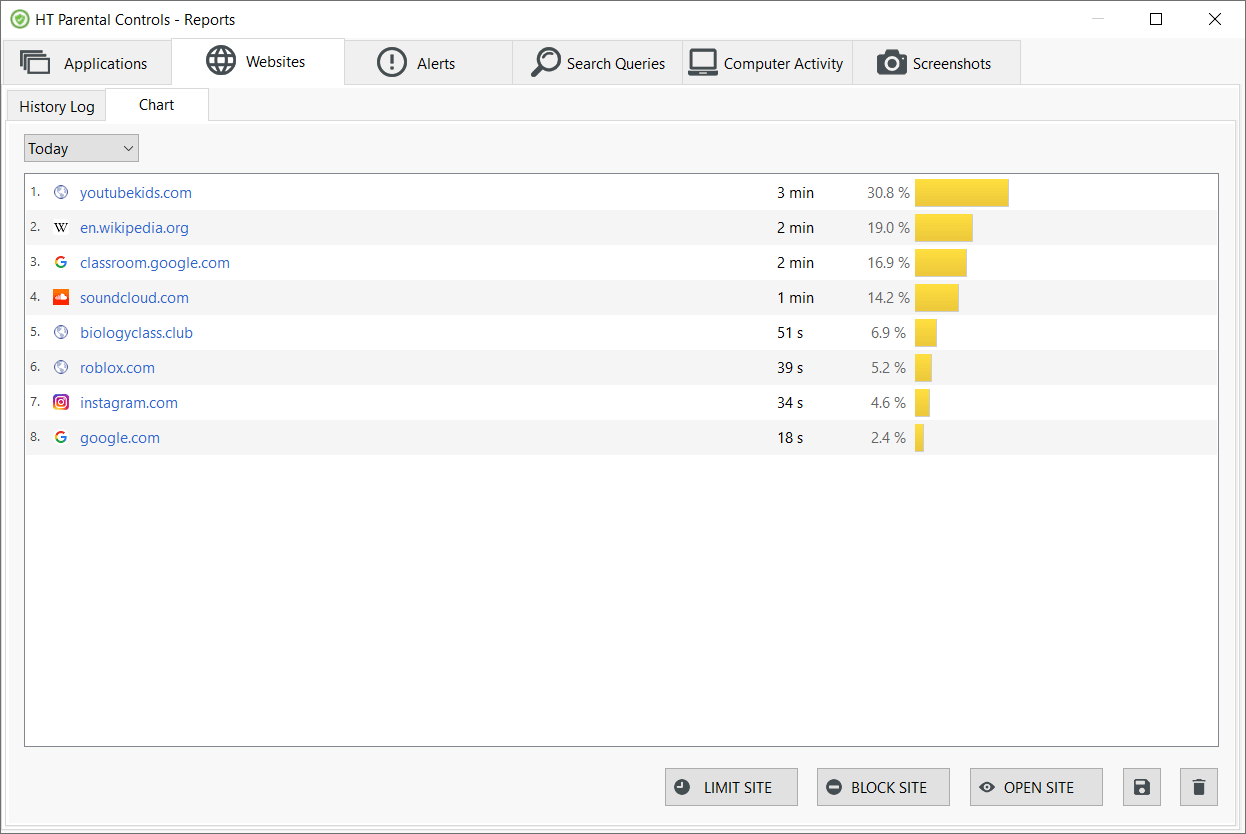
HT Parental Controls offers comprehensive monitoring of your child’s computer activities. It captures a wide range of information including visited websites, applications used, and even takes screenshots, providing you with detailed reports that can be conveniently sent via email. Monitoring is of utmost importance as it enables you to gain insights into your child’s online behavior, understand their digital activities, and effectively manage their computer time.
- Download HT Parental Controls and install it on your kid’s computer or laptop.
- Open the app and go to the Reports section.
- The program will start monitoring all computer activities as soon as it is installed, without any additional steps required.
- To receive email reports, add your email address in the Settings → Email Reporting section.
Don’t overlook the importance of following internet safety rules. HT Parental Controls provides you with peace of mind by keeping you informed about everything your child is doing on the computer. Whether you’re at home or away, you can effectively protect your child from online threats.